
Introduction
Embedded Service in Salesforce has evolved from its early Snap ins Chat framework into two distinct deployment models Version 1 and Version 2. As organizations begin adopting Agentforce to power AI driven customer interactions, understanding these deployment models becomes essential. While both versions deliver chat and messaging capabilities within a website or portal, they follow different architectural patterns and interaction models.
What is Embedded Service?
Embedded Service (previously known as Snap-ins Chat) allows you to embed live chat or messaging capabilities directly into your website or mobile application. It acts as a real-time communication bridge between your customers and Salesforce Service Cloud. Customers can connect with live agents, chatbots, or even Flows all without leaving your website or portal.
Think of it as the ‘Chat with us’ bubble you see on modern websites. It looks simple, but it’s powered by Omni Channel routing, automation, and Salesforce data behind the scenes.
Version 1 — Enhanced Chat
Version 1 is the original Embedded Service Deployment model. It provides a synchronous chat experience like a phone call where both the customer and the agent interact in real time. When the chat window is closed, the session ends immediately.
This version is configured in Setup under ‘Embedded Service Deployments’ and uses the embedded_svc.js script snippet. It supports custom Lightning components for pre chat and post chat logic, routes chats via Omni Channel, and allows CSS based branding.
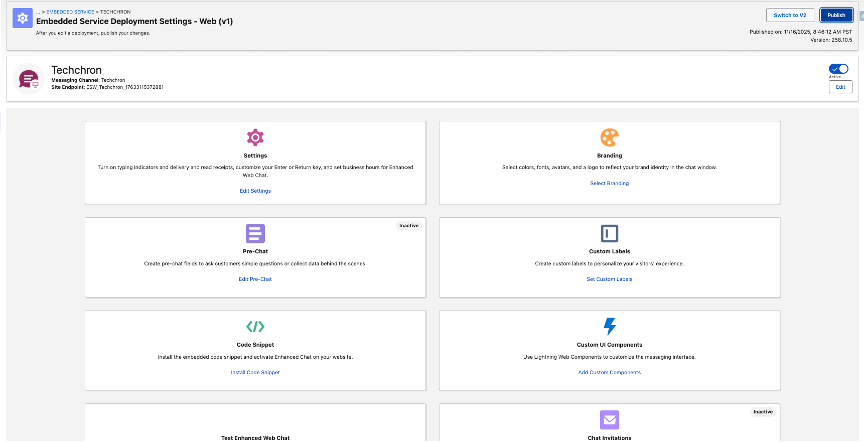
Example: A retail website wants to assist customers instantly about shipping or refunds. A visitor clicks on ‘Chat Now’, connects with an agent, and closes the chat once their query is resolved. It’s a straightforward, real time exchange that ends when the session closes.
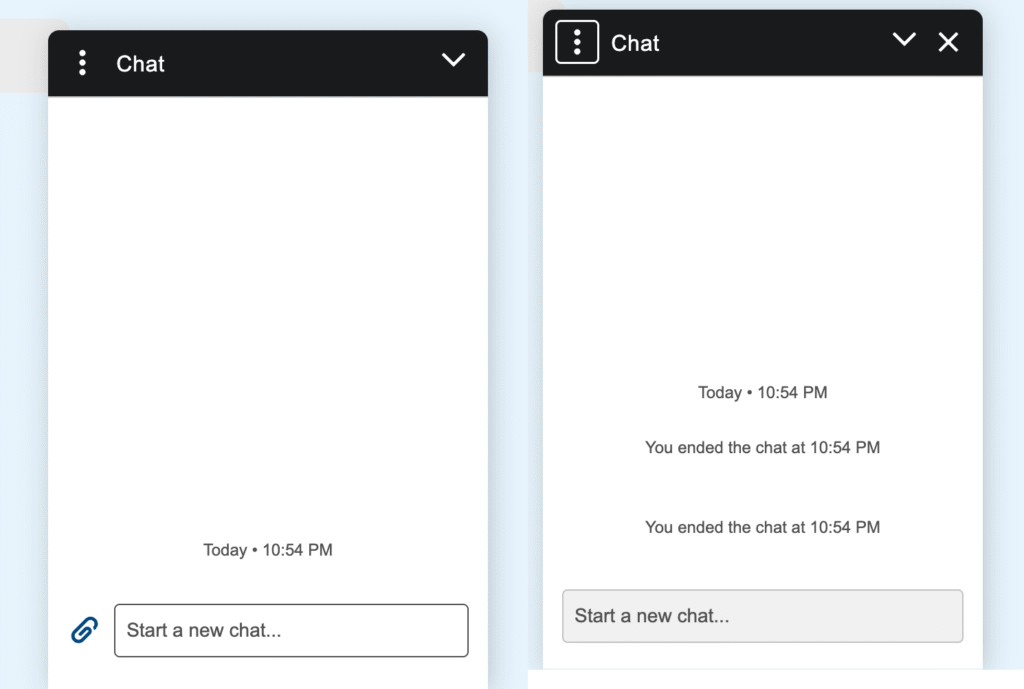
Version 1 works well for businesses that need quick responses and control over their UI. It’s ideal when you need a custom pre-chat experience, but it does not support persistent chat or multi device continuity.
Version 2 — Enhanced Chat
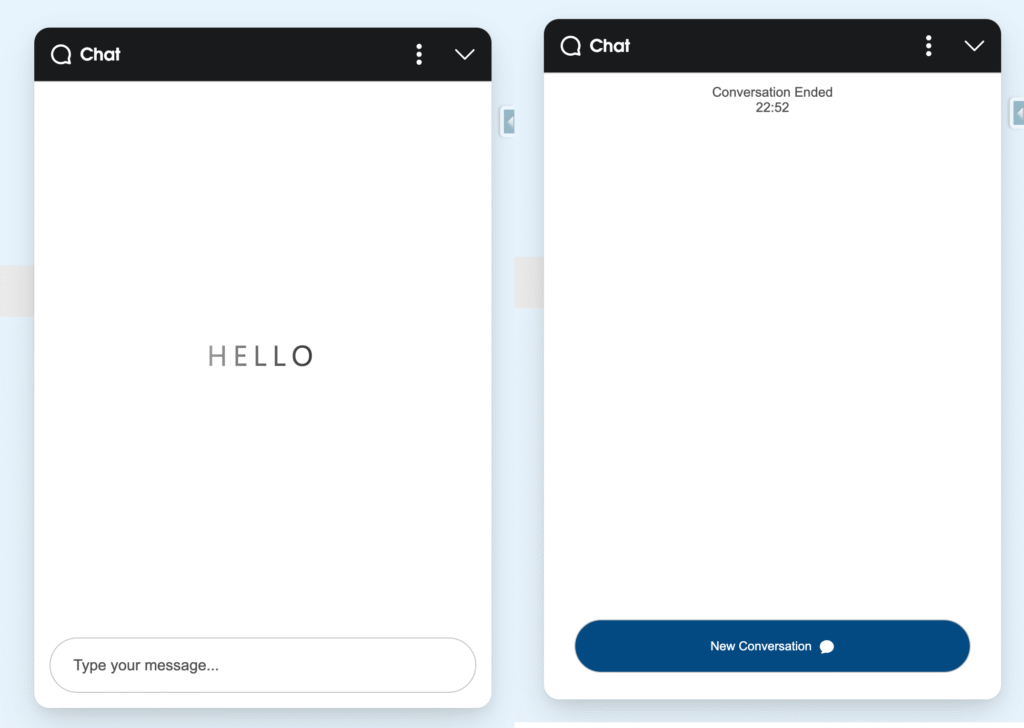
Salesforce introduced Version 2 (Enhanced Chat) to deliver a modern, persistent messaging experience similar to modern messaging applications.
This version is configured under ‘Enhanced Chat Deployments’ and uses the enhanced chat.js script. It’s built on a managed runtime, integrates deeply with Flow Builder, Einstein Bots, and Omni Channel, and simplifies theming and setup. However, it does not currently support custom Lightning components in the chat UI.
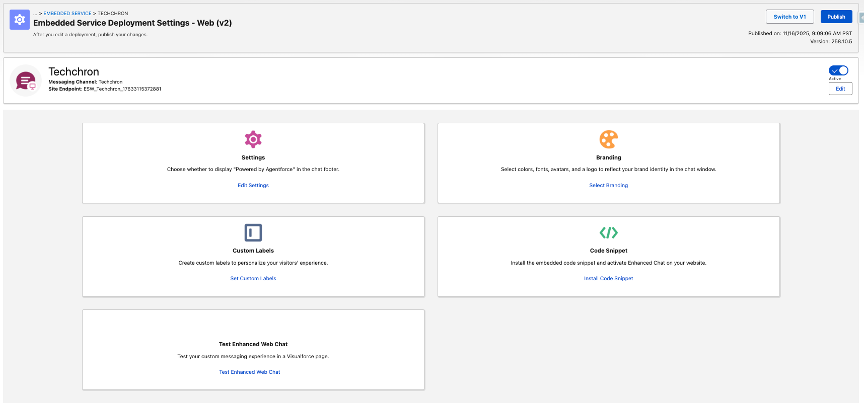
Example: A banking customer starts chatting about a loan on the website and later continues in the mobile app without losing context. This flexibility makes Version 2 ideal for businesses offering multi device support and asynchronous messaging.
Key Differences Between Version 1 and Version 2
| Feature | Version 1 (Enhanced Chat) | Version 2 (Enhanced Chat) |
| Interaction Type | Real time, synchronous chat | Persistent, asynchronous messaging |
| Framework | Aura (supports custom components) | Managed runtime (no custom components) |
| Deployment Script | embedded_svc.js | enhanced-chat.js |
| Customization | Custom pre-chat/post-chat components | doesn’t support custom components |
| Branding | CSS and component overrides | Setup-based theming |
| Session Continuity | Ends when closed | Chat persists |
| Mobile & App Support | Limited | Fully supported |
When to Choose Each Version
From a business standpoint, Version 1 feels like a traditional phone conversation immediate, live, and ends when you hang up. Version 2 is more like a text chat that you can revisit at any time.
Choose Version 1 if:
• You want a quick, real-time website chat.
• You already have custom pre-chat components.
• You’re maintaining a legacy chat implementation.
Choose Version 2 if:
• You want persistent, asynchronous conversations.
• You rely on Flows or Einstein Bots for automation.
• You need cross device chat continuity.
Technical Takeaways
| Need | Recommended Version |
| Support custom Lightning Components | Version 1 |
| Persistent, asynchronous messaging | Version 2 |
| Flow or Bot Integration | Version 2 |
| Quick, real-time setup | Version 1 |
| Long-term roadmap support | Version 2 |
Conclusion
Salesforce now offers two distinct approaches for embedding chat. Version 1 is suitable when custom Lightning components and UI control are required. Version 2 provides a modern, persistent messaging framework aligned with Salesforce’s current roadmap. For new implementations, Version 2 is the recommended choice. Existing Version 1 deployments should plan a gradual transition.
References
• Salesforce Help: Enhanced Chat Feature Comparison
• Salesforce Help: Snap-ins Chat (Embedded Service)